
Capturing the breathtaking beauty of the Milky Way doesn’t require a fancy camera or a degree in astrophysics. With just an iPhone in hand, anyone can transform a starlit sky into a stunning masterpiece. Imagine impressing your friends with those cosmic snaps that scream, “I’m basically a space photographer!”
In this guide, he’ll explore the ins and outs of taking jaw-dropping Milky Way photos using an iPhone. From the best settings to the ideal locations, he’s got tips that’ll make you feel like a celestial artist. So grab your phone, find a dark spot away from city lights, and get ready to unleash your inner night sky photographer. Who knew stargazing could be this much fun?
Understanding Milky Way Photography
Milky Way photography captures the beauty of our galaxy using long exposure techniques. It showcases countless stars and the distinct band of the Milky Way, providing breathtaking visuals.
What Is Milky Way Photography?
Milky Way photography focuses on capturing the Milky Way galaxy at night. This genre emphasizes the galaxy’s rich colors and structures. Photographers often seek dark locations, avoiding light pollution to achieve optimal clarity. Long exposure settings help in gathering more light, revealing intricate details. Essential tools may include tripods and wide-angle lenses, though modern smartphones offer suitable alternatives.
Why Use an iPhone for Milky Way Photos?
An iPhone is convenient for Milky Way photography due to its portability and ease of use. Advanced camera features and apps aid in capturing stunning night sky images. Night mode on newer models automatically adjusts settings for low light, enhancing results. Users can edit images directly on the device, streamlining the creative process. The potential for spontaneous captures offers flexibility, making it ideal for both casual users and aspiring photographers alike.
Preparing for the Shoot
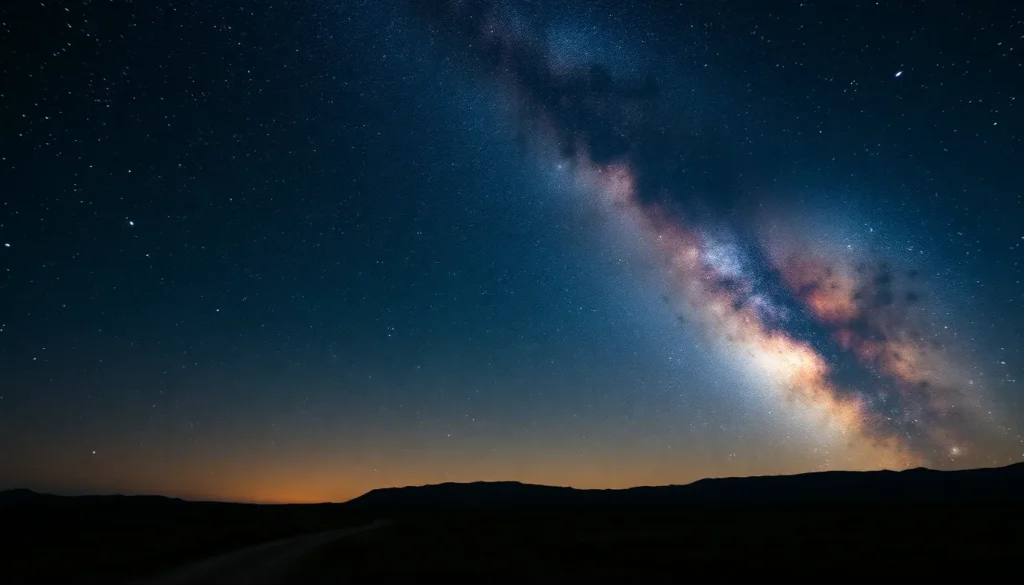
Preparation plays a crucial role in capturing impressive Milky Way photos with an iPhone. Focusing on the right location and timing significantly improves results.
Choosing the Right Location
Finding a dark spot free from light pollution is essential. National parks and remote areas often serve as ideal settings for Milky Way photography. Checking light pollution maps, like those from Light Pollution Map, helps identify suitable areas. Many photographers favor sites far from urban influences to enhance star visibility. Local photography groups might also recommend popular locations that offer breathtaking views of the night sky.
Best Time for Milky Way Photography
Timing affects the quality of Milky Way shots. Photographers often seek to capture the galaxy during new moon phases when darkness prevails. Additionally, peak visibility occurs during summer months, particularly June to September. Planning to shoot between midnight and 4 AM maximizes chances of a clear view. Checking local astronomical calendars for Milky Way visibility dates further ensures photographers select optimal times for their sessions.
Settings for iPhone Photography
For capturing the Milky Way, proper settings are crucial. Utilizing the right features enhances the quality of night sky photos.
Night Mode Features
Night mode on newer iPhone models makes a significant difference. This feature automatically detects low light and adjusts exposure settings for optimal results. In night mode, the iPhone captures multiple images, combining them for improved clarity and detail. Users can set the timer for hands-free shooting, reducing camera shake. Experimenting with different exposure times, generally between 3 and 10 seconds, can yield impressive images of the galaxy.
Manual Settings to Consider
Adjusting manual settings helps maximize photo quality. Lower ISO values enhance image clarity by reducing noise. Conversely, settings between 800 and 1600 ISO may capture more light while keeping quality acceptable. Choose an aperture value, ideally around f/1.8, which allows more light to enter the lens. Focusing manually on a distant star ensures sharpness. Setting the shutter speed between 15 and 30 seconds lets more light in to reveal the Milky Way’s beauty. Keep the iPhone steady to avoid blurry images; using a tripod or stable surface is recommended.
Techniques for Capturing the Milky Way
Capturing the Milky Way requires specific techniques that enhance image quality and composition. These strategies maximize the iPhone’s capabilities for stunning astrophotography.
Using Stabilization Tools
Using stabilization tools is crucial for clear photos of the night sky. Tripods provide excellent stability, while phone mounts can also ensure steady shots. Some may prefer using bean bags, which can support the iPhone on uneven surfaces. While iPhones have built-in stabilization, external aids help minimize camera movement. Activating the timer feature prevents blurriness from tapping the screen. A gentle touch or using a Bluetooth remote can further improve stability during capture.
Composing Your Shot
Composing your shot plays a vital role in creating captivating Milky Way images. First, include interesting foreground elements like trees or rocks to add depth. Understanding the rule of thirds guides composition, helping frame the Milky Way attractively. Angling the iPhone upward reveals the galaxy clearly against the night sky. During the summer months, aim for the Milky Way’s arch at optimal times. Using the grid feature assists in aligning elements harmoniously, enhancing overall image appeal. Finally, experimenting with different angles fosters creativity and unique perspectives.
Post-Processing Tips
Post-processing plays a crucial role in enhancing Milky Way photos taken with an iPhone. Using the right tools can elevate an image’s quality, making the galaxy appear even more striking.
Editing Apps for iPhone
Several editing apps help improve night sky photos significantly. Adobe Lightroom offers advanced editing features like exposure adjustments, color correction, and noise reduction. Snapseed stands out for its user-friendly interface and is great for making selective adjustments to highlights or shadows. Darkroom provides powerful tools for enhancing details without losing the image’s natural look. Each of these applications allows photographers to fine-tune their Milky Way shots directly on the device.
Enhancing Your Milky Way Photos
Adjusting the contrast can reveal hidden details of the Milky Way. Increasing saturation enhances the colors of stars and the galaxy, creating a more vibrant image. Noise reduction tools smooth out graininess often present in low-light photos. Experimenting with clarity can add sharpness, making the stars pop against the night sky. Consider cropping the image to improve composition and showcase the beauty of the Milky Way more effectively.
Capturing the Milky Way with an iPhone is an exciting journey that anyone can embark on. With the right techniques and a bit of creativity, stunning night sky photos are within reach. Embracing the night mode feature and experimenting with settings can lead to breathtaking results.
Finding the perfect location and timing is crucial for achieving clarity and vibrancy in images. By taking advantage of dark skies and planning shoots around new moons, photographers can enhance their chances of capturing the galaxy’s beauty.
Post-processing further elevates these images, allowing for personal touches that bring the Milky Way to life. With practice and passion, anyone can transform their stargazing experiences into captivating celestial art.